Family Bitcoin Custody Starter Kit for Parents
We're parents sharing what we've learned, not financial advisors. Some links may pay a referral. Full disclosure.
A family Bitcoin treasury is only as strong as its custody. Buying Bitcoin is the easy part. Keeping it safe through lost phones, house moves, distracted spouses, curious kids, estate paperwork, and your own future mistakes is the real system.
This starter kit is the practical parent path: keep tiny learning balances on an exchange, move meaningful savings to a parent-controlled hardware wallet, document the recovery path for your spouse or heirs, and train kids slowly before they ever control serious money.
The 30-minute custody starter kit
- Write your custody threshold. Decide the dollar amount you refuse to leave on an exchange. For many parents, that is $500 to $1,000.
- Pick the wallet. Bitkey first for family self-custody. Trezor if you want singlesig and you will protect a seed.
- Back up recovery. Trezor: seed on paper, metal later. Bitkey: print the Emergency Exit Kit. No photos, no cloud notes of seed words, no password manager, no email draft.
- Send a test withdrawal. Move $5 to $20 first. Confirm it arrives. Then move the real amount.
- Write the spouse letter. One page: where the wallet is, where the backup is, what not to do, and who to call before touching anything.
Custody rule for parents: match the tool to the balance
The mistake is treating every sat the same. Your kid's $25 learning wallet does not need the same setup as the family's long-term treasury stack. Separate the jobs:
- $0 to $200: learning balance. Cash App, Strike, River, or a mobile wallet is fine if the point is education and small reps.
- $200 to $1,000: transition balance. Start practicing withdrawals and hardware-wallet receives before the amount becomes emotionally expensive.
- $1,000+: treasury balance. Parent-controlled hardware wallet, recovery backup, and written family instructions.
- Life-changing amount: consider multisig, inheritance planning, and a real estate attorney who understands digital assets.
If you are still deciding how much to buy or where Bitcoin fits next to 529s and emergency funds, start with the Bitcoin Parent Treasury system. If you already have sats and no written recovery path, custody comes first.
Wallet recommendation: Bitkey first, Trezor second
There is no perfect wallet. There is only a tradeoff you understand well enough to live with. For parents, the default should be boring, recoverable, and teachable.
Bitkey: default for most families
Bitkey is the hardware wallet I now recommend to friends and family. It is 2-of-3 multisig without a seed phrase: phone, hardware, and a Block server key. Inheritance is built in. The tradeoff is that Block holds one key. Read the Bitkey review before you buy.
- Best for: family self-custody, spouse recovery, inheritance without a metal plate.
- Parent rule: buy direct from Bitkey, initialize it yourself, set a low mobile spend limit, print the Emergency Exit Kit.
- Do not use it for: a stack you are not willing to custody under Bitkey's trust model, with a company in the quorum.
Trezor: singlesig alternative
Trezor is still a solid singlesig path if you want the cheaper device and you will protect a seed like it is the wallet. The main risk is not that Trezor is weak. The main risk is that a parent stores the seed phrase in iCloud, or forgets to teach the spouse what the device is.
- Best for: parents who already have a Trezor set up well, or who refuse a company key.
- Parent rule: buy direct from Trezor, initialize it yourself, and never type the seed phrase into a computer.
- If it is already working: do not rip it out. Write the spouse letter first.
The family custody checklist
Print this or copy it into your family binder. Do not put seed words or Emergency Exit Kit secrets in the binder. The binder gets instructions. Recovery material stays separate.
- Hardware wallet purchased directly from the manufacturer.
- Device initialized at home, not pre-seeded, not set up by someone else.
- Trezor: seed phrase written by hand on paper during setup. Bitkey: Emergency Exit Kit printed.
- No photo of a seed phrase.
- No cloud storage, email, text message, or password manager copy of a seed phrase.
- Recovery backup stored somewhere physically secure and protected from water/fire risk.
- Small test receive completed before moving meaningful funds.
- Withdrawal address checked on the hardware wallet screen, not just the computer.
- Spouse or trusted adult knows the existence of the wallet and the recovery instructions.
- One-page inheritance letter exists with your will or estate folder.
- Kid training starts with tiny balances only.
- Quarterly review reminder on the calendar.
The one-page spouse letter
Most Bitcoin inheritance failures are not cryptographic failures. They are communication failures. Write a letter that a stressed spouse can follow without learning Bitcoin from scratch during the worst week of their life.
Use this structure:
- What this is: a plain-English note that says the family owns Bitcoin and it is controlled by a hardware wallet and recovery phrase.
- Where things are: name the physical locations without writing the seed words in the letter.
- What not to do: do not enter the seed phrase into a website, do not answer DMs, do not accept help from strangers, do not rush.
- Who to call: list one or two trusted people or professional contacts who understand Bitcoin custody.
- First safe action: confirm the wallet and backup exist. Do not move funds until you have help and understand the plan.
If your stack is meaningful, this letter is not a substitute for estate planning. It is the bridge between your custody setup and the attorney's documents.
How to train kids without putting the stack at risk
A child should learn custody the way they learn driving: parking lot first, highway later. The family treasury is not the practice vehicle.
- Ages 6-9: teach that the recovery words are the treasure, using a fake 12-word phrase game.
- Ages 10-12: use a tiny mobile wallet balance to show receiving, sending, fees, and backups.
- Ages 13-15: let them help verify receive addresses and watch you do hardware-wallet withdrawals.
- Ages 16-18: supervised hardware-wallet setup with a small amount they control.
- Adulthood: transfer responsibility gradually only after they have shown calm, repeatable custody habits.
For the kid-friendly explanation, use what is a Bitcoin wallet for kids. For the full setup walkthrough, use how to set up a Bitcoin wallet for your kid.
Common custody mistakes parents make
- They wait too long. The stack grows on an exchange, then withdrawal feels scary because the amount is already large.
- They optimize for paranoia instead of recovery. A setup nobody else can recover is not family custody. It is a single point of failure.
- They teach the kid before training the spouse. Your spouse is the first heir, not your 11-year-old.
- They hide the existence of the Bitcoin. Secrecy protects against theft, but total secrecy creates inheritance loss.
- They buy the advanced wallet first. Complexity feels serious. Simplicity survives stress.
First actions this week
- If you have Bitcoin on an exchange, choose your self-custody threshold today. Write it down.
- If you are above that threshold, order a hardware wallet directly from the manufacturer. Bitkey is the default. Trezor is the singlesig alternative.
- If you already have a hardware wallet, write the spouse letter before buying more Bitcoin.
- If your kid is old enough, run the fake seed phrase game from the wallet setup guide.
The point is not to cosplay as a security expert. The point is to remove the obvious family failure modes before the stack becomes too valuable to handle casually.
This site is created by a Bitcoin advocate and parent. It presents one perspective on money and financial education. Nothing here is financial advice. Bitcoin is volatile and you can lose money. Consult a licensed financial advisor before making investment decisions for your family.
Keep reading
Bitkey Review: The Hardware Wallet I'd Recommend to Family
I used Trezor, then Bitkey. Lived review of Block's 2-of-3 hardware wallet: sends, receives, NFC quirks, inheritance, and why I'd hand this to family first.
The Bitcoin Parent Treasury: A System for Long-Term Family Wealth
Most parents save in dollars for a world that won't exist. The Bitcoin Parent Treasury is a four-layer system for building generational family wealth with sound money at the center.
How to Set Up a Bitcoin Wallet for Your Kid
Exchange wallets, mobile wallets, hardware wallets. Which one to use for your kid's Bitcoin, when to upgrade, and the seed phrase talk every parent needs to have.
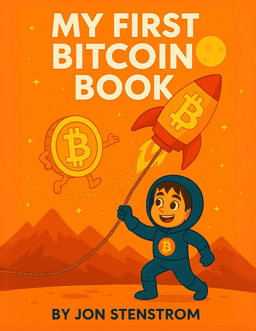
Teach the next steward of your family treasury
My First Bitcoin Book is the easiest way to make Bitcoin language normal at home. 26 concepts, fun illustrations, designed for ages 3-8.
Buy on Amazon