How to Set Up a Bitcoin Wallet for Your Kid
We're parents sharing what we've learned, not financial advisors. Some links may pay a referral. Full disclosure.
Setting up a Bitcoin wallet takes about 10 minutes. Choosing the right type of wallet for a kid? That's where most parents get stuck. I'll walk you through exactly what I did, what I wish I'd done differently, and which wallets actually make sense depending on your kid's age.
Separate the teaching balance from the family treasury balance. A small mobile wallet can help a kid learn. The meaningful stack belongs in parent-managed cold storage until the kid is ready for custody responsibility.
To set up a Bitcoin wallet for your kid, start with an exchange wallet (like River or Strike) for small amounts under $500, then move to a hardware wallet (Trezor) for long-term storage. If you want the parent checklist before choosing a device, use the Family Bitcoin Custody Starter Kit. Write down the 12 or 24-word seed phrase on paper, store it separately from the device, and include it in your estate plan.
What is a Bitcoin wallet and how does it work?
A Bitcoin wallet doesn't hold Bitcoin the way a leather wallet holds cash. Your Bitcoin lives on the blockchain (a public ledger).1 The wallet holds your private keys, which are the passwords that prove you own it and let you send it.
Lose the keys, lose the Bitcoin. No customer support line. No password reset. An estimated 3-4 million Bitcoin are lost forever because people lost access to their keys.2 This is why choosing the right wallet type matters, especially when a child is involved.
Think of Bitcoin as digital property. Saylor describes it as owning a piece of “Manhattan in cyberspace constructed of 21 million city blocks.”9 Your wallet is the deed to that property. Lose the deed, lose the lot.
What are the 3 types of Bitcoin wallets?
1. Exchange wallet (ages: any, for small amounts)
When you buy Bitcoin on Cash App, Strike, River, or Coinbase, it sits in their wallet by default. They hold the keys for you.
- Pros: Simple. No setup. If you forget your password, they can help you recover it.
- Cons: You don't control the keys. If the exchange gets hacked or goes bankrupt (FTX lost $8 billion in customer funds3), your Bitcoin could be gone.
- Best for: Small amounts (under $200-500). Learning and experimenting.
2. Mobile/software wallet (ages 10+, with supervision)
An app on your phone that holds the keys. You control them, but the keys live on a device connected to the internet (a “hot wallet”).
- Good options: Blue Wallet (beginner-friendly), Muun (simple Lightning + on-chain), Sparrow (more advanced, desktop).
- Pros: You control the keys. Free. Quick to set up. Kids can see their balance and learn how transactions work.
- Cons: If the phone is lost/stolen/hacked, the Bitcoin could be at risk. Requires backing up a 12 or 24-word seed phrase.
- Best for: Teaching kids how wallets work. Small to medium amounts ($100-2,000).
3. Hardware wallet (all ages, parent-managed)
A physical device (looks like a USB stick or small calculator) that stores your keys offline. This is cold storage. The keys never touch the internet.
- Good options: Trezor Model One (~$704) for most parents. Keep the first device simple enough that a spouse can recover it.
- Pros: Most secure option. Keys are offline. Even if your computer is compromised, the Bitcoin is safe.
- Cons: Costs $60-150. Setup takes 20-30 minutes. If you lose the device AND the seed phrase backup, the Bitcoin is gone forever.
- Best for: Long-term savings for your kid. Any amount you'd be upset about losing.
Need the current wallet and exchange stack?
Check Resources for the current tools, then use the Family Bitcoin Custody Starter Kit and the Bitcoin Parent Treasury system to decide what stays in a kid learning wallet versus parent cold storage.
How do I set up a wallet for my child step by step?
Here's what I recommend for most parents who are stacking Bitcoin for a child under 16:
- Buy on River or Strike using recurring purchases. Leave small amounts on the exchange until you've accumulated $200-500+. (Full buying guide here.)
- Get a hardware wallet. A Trezor Model One is about $70 and works great. Follow the setup instructions to generate your seed phrase.
- Write down the seed phrase on paper (not on your phone, not in a notes app, not in an email). Store it somewhere fireproof and separate from the device. Some people use metal seed phrase backups (~$30) for fire/flood protection.
- Withdraw from the exchange to your hardware wallet. Send a small test amount first ($5-10) to make sure you have the address right. Then send the rest.
- Repeat quarterly. Buy on the exchange, accumulate, withdraw to hardware wallet.
What is a seed phrase and how do I protect it?
Your 12 or 24-word seed phrase IS the wallet.6 Anyone who has those words can take the Bitcoin. Never type it into a website. Never share it with anyone. Never take a photo of it. Write it down on paper (or stamp it into metal) and store it like you'd store a birth certificate or passport.
For parents: think about what happens if something happens to you. Does your spouse know where the seed phrase is? Is it in your estate plan? If not, the Bitcoin dies with you. I keep a letter with my will that explains where the hardware wallet is, where the seed phrase backup is, and how to use them.
When should I give my kid their own wallet?
I think about this like giving a kid a bank account. Around 10-12, they can have a mobile wallet with a small amount to experiment with. You keep the seed phrase backup. Around 16-18, if they've shown they understand custody and security, you transfer the main stack to a wallet they control. (Our age-by-age guide breaks down what kids can handle at each stage.)
The worst case: you give a 14-year-old the keys to $10,000 in Bitcoin and they send it to a scammer on Discord. It happens. Start small. Build the responsibility muscle first. (For more on the scam angle, see is Bitcoin safe for kids.)
How do I explain wallets to my kid?
- “What's a seed phrase?” It's like a master password for your Bitcoin. 12 or 24 random words. If you have those words, you can access your Bitcoin from anywhere. If you lose them and lose the device, the Bitcoin is gone forever. (Here's our kid-friendly wallet explainer.)
- “Why can't I just keep it on Cash App?” You can for small amounts. But Cash App controls the keys, which means you're trusting Cash App. If they get hacked or shut down, your access is at risk. Your own wallet cuts out that company risk. The tradeoff: the backup is on you.
- “Can someone hack my wallet?” A hardware wallet that's not connected to the internet is basically impossible to hack remotely. The biggest risk is someone physically getting your seed phrase.7
Try this at home
The secret message game (15 minutes, ages 8+). Write a 12-word phrase on a piece of paper (use random words, like “apple dog mountain seven quiet river laugh forest eight cloud bicycle red”). Tell your kid: this is the key to a treasure. Hide the paper. Now give them 3 clues to find it. The lesson: the words ARE the treasure. Whoever finds those words owns what they protect. That's how a seed phrase works.
Materials: Paper, a pen, a hiding spot. Time: 15 minutes.
Sources
- Nakamoto, Satoshi. Bitcoin: A Peer-to-Peer Electronic Cash System (2008)
- Chainalysis, “Approximately 3.7 million Bitcoin are estimated lost”
- Reuters, “How FTX Collapsed” (Nov 2022)
- Trezor, Trezor Safe 3 hardware wallet
- Bitcoin Wiki, Seed Phrase (BIP-39)
- Trezor, What is a hardware wallet
- BitcoinUptime.org, Bitcoin Network Uptime Tracker
- Saylor, Michael. DeepMacro Interview, describing Bitcoin as “Manhattan in cyberspace”
This site is created by a Bitcoin advocate and parent. It presents one perspective on money and financial education. Nothing here is financial advice. Bitcoin is volatile and you can lose money. Consult a licensed financial advisor before making investment decisions for your family.
Keep reading
Family Bitcoin Custody Starter Kit for Parents
A practical parent custody checklist: when to move Bitcoin off exchanges, Bitkey vs Trezor, recovery, spouse instructions, and kid training.
How to Buy Bitcoin for Your Child
The actual step-by-step for buying Bitcoin for your kid. Which exchange, how much, where to store it, and the tax stuff nobody warns you about.
Is Bitcoin Safe for Kids?
The network is secure. The price is volatile. Custody is where most people get burned. Here's an honest breakdown of every type of risk, with practical steps to handle each one.
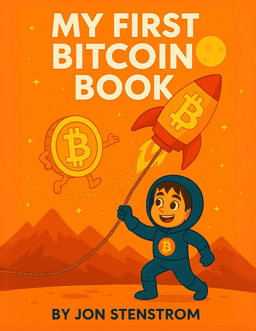
Teach the next steward of your family treasury
My First Bitcoin Book is the easiest way to make Bitcoin language normal at home. 26 concepts, fun illustrations, designed for ages 3-8.
Buy on Amazon