Cash App Managed Accounts Review: A Bitcoin Parent's Honest Take
We're parents sharing what we've learned, not financial advisors. Some links may pay a referral. Full disclosure.
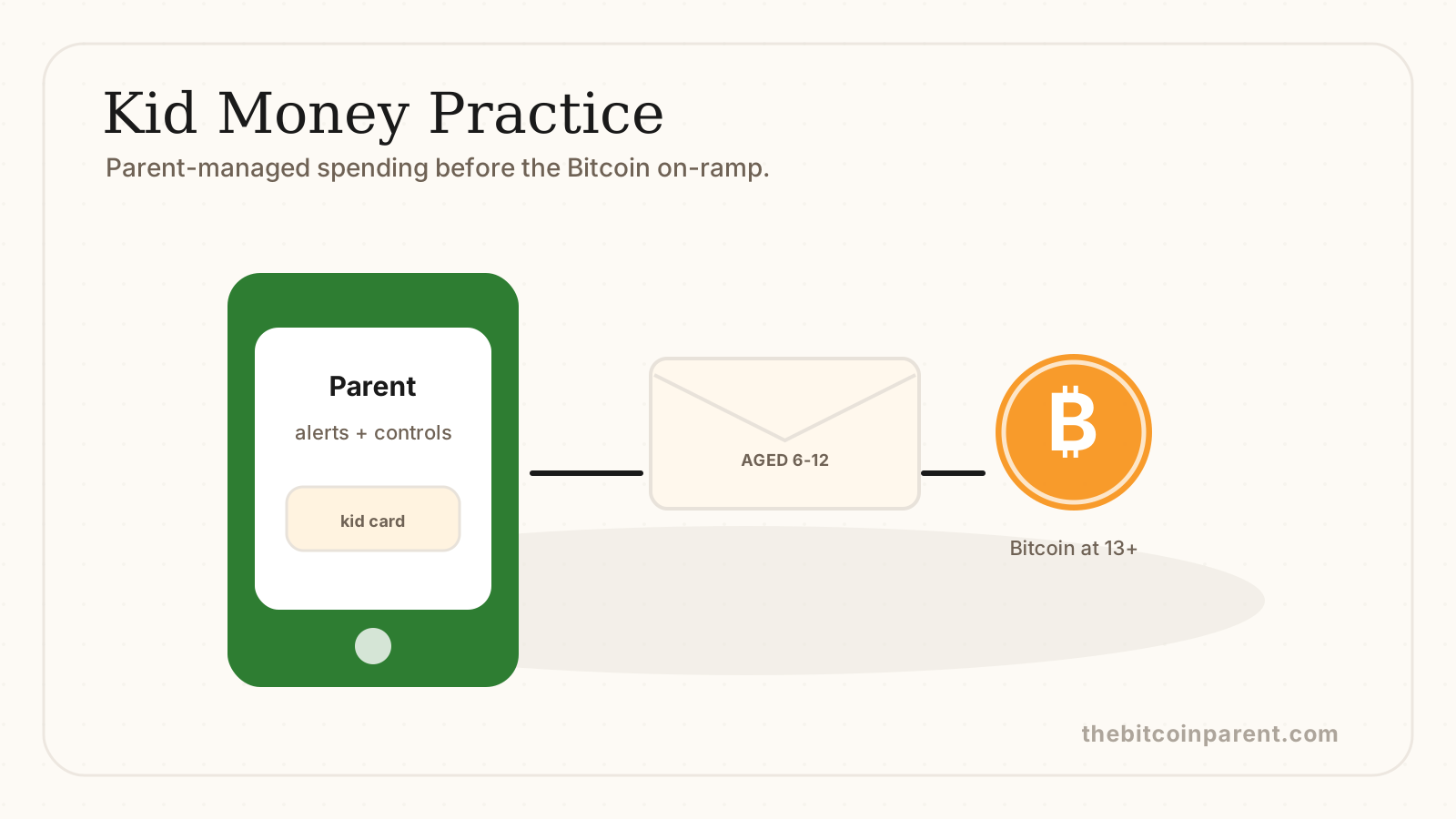
Cash App quietly launched Managed Accounts for kids 6-12 on April 21, 2026. I've been kicking the tires on it for about a week with my daughter. Here's the honest take from a Bitcoin parent who's been waiting for exactly this kind of on-ramp.
Short version: it's the cleanest pre-13 money tool I've seen, with one big asterisk on the 3.25% APY (it has conditions), and it slots perfectly into the Bitcoin Parent Treasury as the on-ramp before the Bitcoin on-ramp at 13.
What is a Cash App Managed Account?
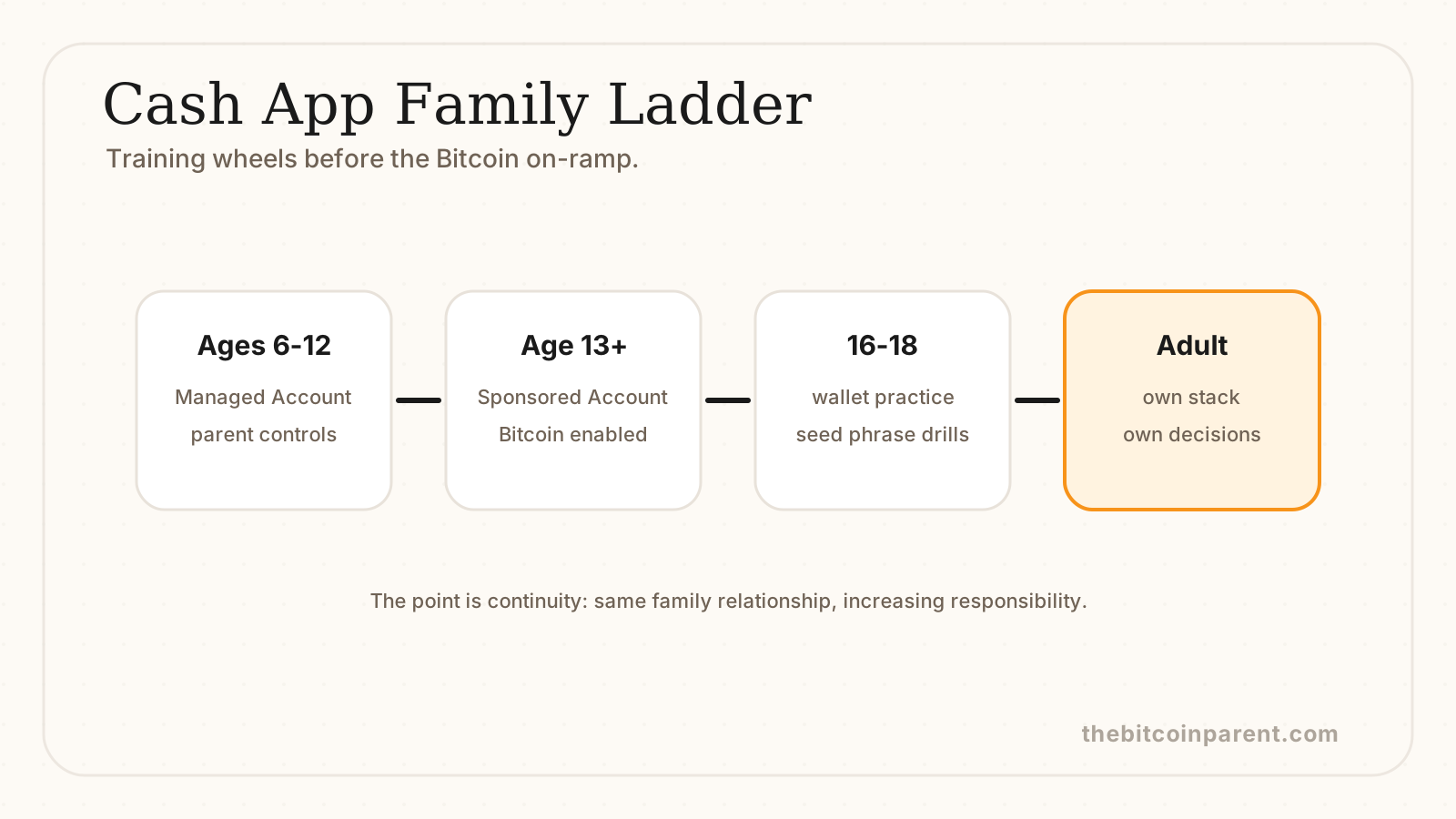
A Cash App Managed Account is a parent-controlled Cash App account for kids ages 6-12. The parent runs it from inside their own Cash App. The kid gets a custom Visa debit card they designed themselves. There's no separate kid login. Money moves, alerts fire, and the parent stays in the driver's seat the whole time.1
At age 13, the account upgrades to a Sponsored Account. That's where the kid gets their own login, can buy stocks and Bitcoin (with parent approval), and starts driving. The Managed Account is the training wheels. The Sponsored Account is the bike.
Verified features (what you actually get)
Pulled straight from the launch announcement. No marketing fluff, just what's in the box.1
- Up to 3.25% APY on savings. Not automatic. Requires Cash App Green status (more on that below).
- Custom Cash App Visa debit card. Kid-designed. Spend controls and category limits set by the parent.
- Round Ups. Spare change from purchases gets swept into savings or Bitcoin (in the Sponsored Account, post-13).
- Receive money from up to 5 trusted contacts. Grandparents, godparents, the aunt who always slips $20 at birthdays.
- Real-time alerts to the parent. Every swipe, every deposit, you see it.
- FDIC pass-through eligible via Cash App's partner banks. Cash itself isn't held by Cash App; it sits at insured partner banks.
- No minimum balance, no monthly fees.
- Not available in New York. If you're in NY, this one isn't for you yet.
The honest pros
Three things genuinely impressed me.
The integration is seamless. Most kid money apps make you create a separate account, separate login, separate password. Cash App Managed lives inside the parent's existing Cash App. Two taps to set up. No new app to download for the kid (because the kid doesn't need one yet).
The card is real Visa. Works anywhere Visa is accepted, with parent-set spending limits. My 9-year-old used hers at the snack bar at swim practice and got the dopamine hit of a real transaction with a real receipt. That's the whole point at this age.
The graduation path is clear. At 13, it becomes a Sponsored Account, and Bitcoin enters the picture. Most kid apps end at 18 with a hand-off you have to engineer yourself. Cash App built the ladder.
The honest cons
I won't pretend this is perfect. Three things to know before you sign up.
The 3.25% APY has conditions. You only get it if you have Cash App Green status, which means spending $500/month or depositing $300/month into your own Cash App account.1 If you're a casual Cash App user who only opened the kid account for the rate, you'll likely earn closer to the base rate. Read the fine print before you bank on the headline number.
Not available in New York. State licensing. If you live in NY, this is a non-starter until that changes.
Kids can't access the app directly. This is a feature for some parents and a limit for others. My 9-year-old can't check her balance on her own phone. She has to ask me. Some parents will love that. Some will want their kid building independence with a kid-facing interface (Greenlight does this better, more on that below).
Honest tension: I lean toward the parent-controlled model at this age, but I get why somebody else would lean the other way. Depends on the kid, depends on the parent.
The Bitcoin Parent angle: this is the bridge
Here's why I'm writing about a non-Bitcoin product on a Bitcoin parenting site.
The hardest part of teaching kids about money is the gap between “piggy bank” and “hardware wallet.” A 7-year-old can't hold a seed phrase. A 12-year-old probably shouldn't be self-custodying Bitcoin. But they need to understand money as a real thing they can move before any of the Bitcoin lessons land.
Cash App Managed solves the 6-12 gap. Real card. Real transactions. Real consequences. Parent-supervised. No crypto yet. Then at 13, the same account becomes the Bitcoin on-ramp. Same login the parent already has. Same family relationship. The kid doesn't learn one system at 8 and start over at 13.
That continuity matters. The treasury system I'm building for our family runs in four layers (covered in the treasury guide), and Layer 2 is the kid layer. For ages 6-12, this is now the default I'd recommend. The reason is the graduation path. Other kid apps strand you at 18 with a hand-off you have to engineer. Cash App walks the kid into a Bitcoin-capable account at 13 on the same login.
How to set it up (5 steps)
Took me about 8 minutes start to finish. Here's the flow.
- Open your existing Cash App. Go to the Family tab in the bottom nav. If you don't see it, update the app.
- Tap “Add a kid” and enter their info. Name, date of birth, your relationship. You'll need their Social Security number for the FDIC pass-through piece. (Standard for any custodial-style account.)
- Set your spend controls. Daily limit, category blocks (gambling, ATM withdrawals, etc.), and merchant restrictions. Default settings are reasonable. I tightened mine to a $25 daily cap to start.
- Design the card together. The kid picks the design. Mine drew a fish. This is the engagement moment. Don't skip it.
- Send the first deposit. $5 from your Cash App balance into theirs. Show them the alert pop up on your phone. Show them the balance change in the app. Then have them spend it on something small so they feel the round-trip.
The card arrives in 7-10 days. In the meantime, the virtual card works for online purchases (with your approval).
How does it compare to Greenlight, Acorns Early, and GoHenry?
Quick honest comparison. I've used or trialed all four.
- Greenlight: The most kid-facing experience. Kids get their own app, can set savings goals, complete chores for allowance. Costs $4.99-$14.98/month depending on tier.2 Best if you want your kid actively managing their own balance. Worse if you want the parent fully in control.
- Acorns Early: A UTMA custodial brokerage account, not a debit/spending tool. $5/month for the family plan.3 Good for invested savings the kid can't touch. Different category. You'd pair it with a spending tool, not replace one.
- GoHenry: Similar to Greenlight. Kid-facing app, chores, prepaid debit. $4.99-$9.98/month.4 Solid product. Same tradeoff as Greenlight on parent control.
- Cash App Managed: Free. Parent-controlled. Up to 3.25% APY (with conditions). Graduates to Bitcoin at 13. Best for parents already in the Cash App ecosystem who want the bridge to a Bitcoin-capable account.
If your priority is your kid learning independent money management now, Greenlight wins. If your priority is the long-term ladder into Bitcoin and self-custody, Cash App Managed wins. (For the wider set of kid finance tools, see our teaching kids about money guide.)
Parent talking points
- “Why can't I have my own app like my friend?” Because at your age, money decisions are something we make together. When you turn 13, you'll get your own login and start making more of those decisions yourself. Right now we're practicing.
- “Why do you get an alert every time I buy something?” Same reason I help with homework. So I can spot when you're building good habits and when you need a tip. Once you're good at it, the helper mode goes away.
- “Can I put my birthday money in here?” Yes. Up to 5 people can send money to your account. We'll set up Grandma and Grandpa first.
- “What's Bitcoin and when do I get some?” Bitcoin is a kind of money the computer makes that nobody can print more of. We'll learn about it together over the next few years. When you're 13, this same account will let you buy a little bit of it. (More on saving vs spending.)
Try this at home
The first-deposit ritual (10 minutes, ages 6-12). Once the account is set up, hand your kid $5 in cash. Have them “deposit” it by handing it to you, then you send $5 from your Cash App into their Managed Account. Show them the alert. Show them the balance. Then have them buy something small (a snack, a sticker pack) on the virtual card. The point is the round-trip from physical to digital to spent. They'll remember the first transaction longer than the next 50.
Materials: $5 cash, Cash App on your phone, the kid's new account. Time: 10 minutes.
The bottom line
For a Bitcoin parent with a kid 6-12, this is the new default at Layer 2 of the treasury. Set it up. Use it for two or three years. At 13, flip it to a Sponsored Account and start the Bitcoin lessons with real dollars on the line.
If you're new to Cash App, you can sign up using my invite at cash.app/app/NBG83JH (we both get $10 if you send $5 to someone within 14 days). If you already have Cash App, the Families section is at cash.app/families.
I'll update this review after 90 days of real use. The 3.25% APY claim and the round-up behavior are the two things I want to validate over a longer window. (See the Bitcoin savings account guide for what comes next at 13.)
Sources
- Cash App (Block, Inc., NYSE: XYZ), “Cash App Helps Families Build Healthy Financial Habits Together with New, Parent-Managed Accounts for Kids” (April 21, 2026)
- Greenlight, Plans and Pricing
- Acorns, Acorns Early (UTMA investment accounts for kids)
- FinanceBuzz, GoHenry Review: Financial App + Kids' Debit Card (plan tiers and pricing)
This site is created by a Bitcoin advocate and parent. It presents one perspective on money and financial education. Nothing here is financial advice. Bitcoin is volatile and you can lose money. Consult a licensed financial advisor before making investment decisions for your family.
Keep reading
The Bitcoin Parent Treasury: A System for Long-Term Family Wealth
Most parents save in dollars for a world that won't exist. The Bitcoin Parent Treasury is a four-layer system for building generational family wealth with sound money at the center.
Bitcoin Savings Account for Your Child
There's no 'Bitcoin savings account' at a bank. Here's what a Bitcoin savings plan for your kid actually looks like: recurring buys, hardware wallet custody, and cost basis tracking.
Teaching Kids About Money: A Parent's Roadmap
A complete age-by-age roadmap for teaching your kids about money, from counting coins to understanding inflation, investing, and Bitcoin.
Teach the next steward of your family treasury
My First Bitcoin Book is the easiest way to make Bitcoin language normal at home. 26 concepts, fun illustrations, designed for ages 3-8.
Buy on Amazon